- Introduction:
Support files are sometimes needed to help us go further on our analyse of issues.
This article shows how to proceed the generation of those support files.
- Process:
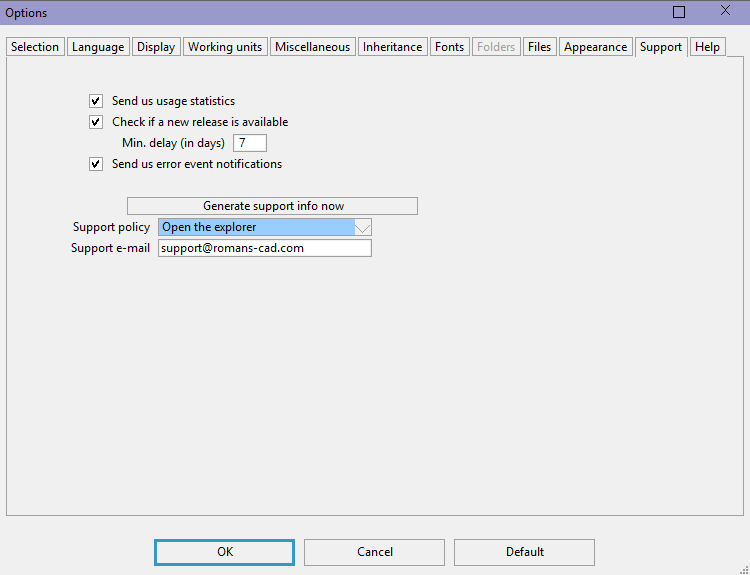
- Go to: Tools > Options > Support
- Change: "Support policy" to: Open the explorer
- Click on "Generate support info"
- A folder in your explorer is opened and displayed on your screen
- Copy all the file of the folder and transmit them
Was this article helpful?
That’s Great!
Thank you for your feedback
Sorry! We couldn't be helpful
Thank you for your feedback
Feedback sent
We appreciate your effort and will try to fix the article