NB: This article applies only to version V16 and after.
Context
Hardware dongle licensing allows you to run an application on a workstation using a Sentinel SuperPro hardware dongle.
The license received is locked to a dongle identifier.
Prerequisites
- You have received your personal Sentinel Superpro Hardware dongle
- You have downloaded the Sentinel System Driver.
Sentinel System Driver can be downloaded from this page - You have the Romans CAD installation package.
- You have received your licenses as a .LIC file
Procedure
| |
| |
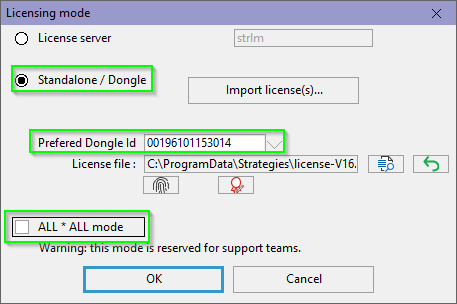
Check your "Licensing mode" options:
|  |
| Click on "Import license(s)...", select the file you have received, and validate. | 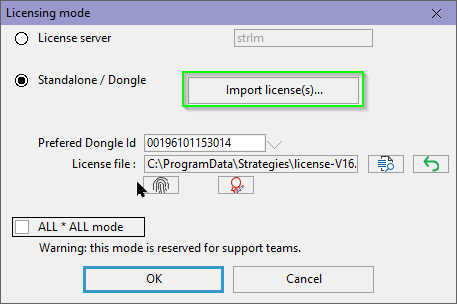 |
| A message will confirm import was OK | 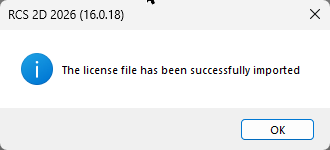 |
| You will have to restart RCS | 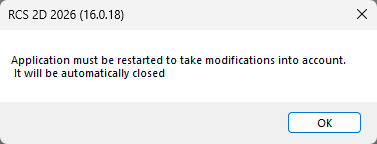 |
| On the next start, licenses that match your dongle id will be highlighted. Select them, and validate | 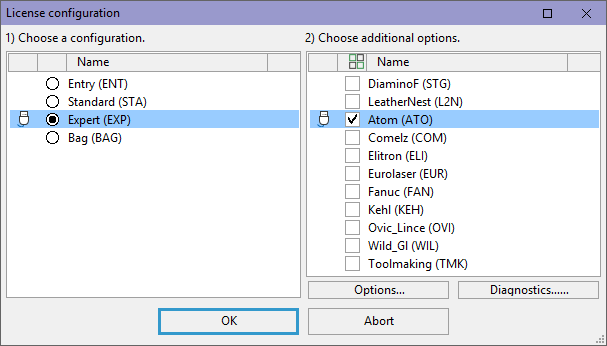 |
Sharing a license file on a server
As an alternative, instead of importing a license file in its default location, you can
- Save the license file received in a shared folder.
- Change RCS license file location
Was this article helpful?
That’s Great!
Thank you for your feedback
Sorry! We couldn't be helpful
Thank you for your feedback
Feedback sent
We appreciate your effort and will try to fix the article